Skip to content
View in the app

A better way to browse. Learn more.

JimiWikman.se

A full-screen app on your home screen with push notifications, badges and more.

To install this app on iOS and iPadOS
  1. Tap the Share icon in Safari
  2. Scroll the menu and tap Add to Home Screen.
  3. Tap Add in the top-right corner.
To install this app on Android
  1. Tap the 3-dot menu (⋮) in the top-right corner of the browser.
  2. Tap Add to Home screen or Install app.
  3. Confirm by tapping Install.

A new, enhanced user management experience, has started to roll out

By 💫 Jimi Wikman ·
On February 15, 2024, Atlassian will begin transitioning current cloud customers to a new, enhanced user management experience within admin.atlassian.com. This transition will occur for single-site organizations first and will then continue to be rolled out to multi-site organizations later this year.
Initially, this new experience will only be available for Jira Software, Jira Service Management, Jira Core, Confluence, Opsgenie and Statuspage cloud products. It will not include Bitbucket or Trello.
Atlassian will be discontinuing the trusted user role during the migration to the new user management experience. All current trusted users will automatically be granted the product admin role for the product(s) they already had permissions for.
Site admins: site admins are able to manage billing, add products, and manage apps for a given set of sites. Site admins can't manage product access for the sites they administer. To allow them to manage product access in order to ensure a smooth migration process, we will be automatically assigning all current site admins to also be user access admins for all products under the sites they administer.
User access admin: this is a new role only available once you are migrated to the new experience management experience. User access admins have limited access to Atlassian Administration and are able to manage user access to the products they administer. They do not have billing permissions or other permissions of site admins.
...and more.
Atlassian Community articles:
https://community.atlassian.com/t5/Enterprise-articles/Cloud-admins-we-re-saving-you-time-on-user-management/ba-p/2588292
https://community.atlassian.com/t5/Atlassian-Access-articles/User-management-for-cloud-admins-just-got-easier/ba-p/1576592
#atlassian #jirasoftware #usermanagement #jiraservicemanagement #confluence #opsgenie #statuspage

Now you can FINALLY rename your Epics in Jira Software!

By 💫 Jimi Wikman ·
Atlassian has finally rolled out the changes to Epics, so you can change the name of your epics to anything you want. As an added bonus, they are now giving both standard and free licenses of Jira the ability to create issue hierarchy above the Epic level. This was previously only available for Premium and Enterprise customers!

This change was first announced back in December 2021 (https://community.atlassian.com/t5/Jira-Software-articles/Upcoming-Rename-epics-in-your-company-managed-projects/ba-p/1874726) and since then it has gone through several revisions and delays where we for example got the new Parent field and several underlying changes to how Epics worked. This included changes to Epic name and Epic links, which rolled out last year.

As of February 14th however, this change is finally here, and you can rename your Epics AND you can now scale your issue hierarchy to best fit your organization need.

Now that is a gift of Love if I ever saw it!!

💝Thank you Atlassian!!

Community Article:
https://community.atlassian.com/t5/Jira-Software-articles/Beyond-epics-Flexible-naming-has-landed/ba-p/2609733
  • 0
  • 618

Atlassian Cloud Changes - February 5th to February 12th

By 💫 Jimi Wikman ·
The weekly changes that have been rolled out in the last week.
Atlassian Administration
00:56 Join a discovered product as an admin
Jira Platform
02:06 Jira dashboards: Improved look and settings for "Filter results" gadget
Jira Service Management
02:52 It’s faster and easier for end users to try new products
03:36 Reports now available for Assets
05:46 Introducing Developer escalations for better collaboration with developers
Jira Product Discovery
09:36 It’s faster and easier for end users to try new products
10:15 Auto-filling date fields are now available
Confluence
11:18 Configure and display labeled content with clarity and ease
12:16 Customize and display recently updated content with enhanced control and ease
12:40 It’s faster and easier for end users to try new products
13:13 Whiteboards Feedback Collector
Bitbucket
14:10 Bitbucket Cloud joins Atlassian Administration

Jira Software Navigation

By 💫 Jimi Wikman ·
A quick overview of the way Jira Software is set up in terms of navigation. I go over the main navigation and what they do, and also touch on the secondary and tertiary navigation as well.
  • 0
  • 574

Keep design and dev in sync with Figma for Jira

By 💫 Jimi Wikman ·
Atlassian has announced a closer collaboration with Figma in Jira with an updated version of their Figma for Jira app.
Let's take a look at what's new to the Figma for Jira app and how the integration can bring your design and development teams closer together.
  • 0
  • 901

Atlassian Cloud Changes - January 29th to February 5th

By 💫 Jimi Wikman ·
The weekly changes that have been rolled out in the last week.
Atlassian Administration
00:45 AMA - All things Atlassian Access
01:45 Track external users who are Confluence guests
03:05 The admin hub now has product banners
04:25 Add a new Bitbucket workspace to your organization
Jira Platform
05:28 We’re revamping the Jira import wizard
Jira Software
06:53 We’re making it easier for your team to access the products they need
Jira Work Management
09:00 We've improved how you can create issues in context of the view you're in
Jira Product Discovery
10:33 We’re making it easier for your team to access the products they need
Confluence
10:59 Add excerpts to any page with greater clarity and ease
12:24 Follow-up questions for Smart Answers in Confluence Search

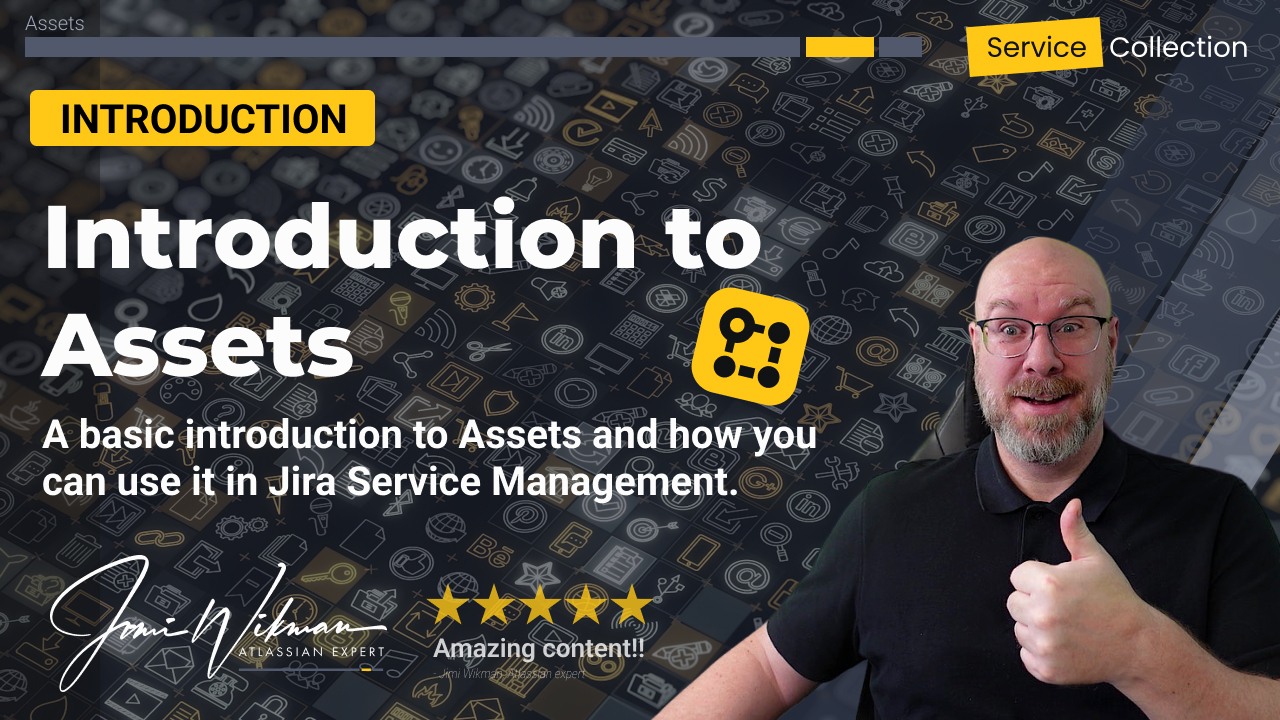
Introduction to Assets in Jira Service Management | Asset & Configuration Management Basics

By 💫 Jimi Wikman ·
Learn the fundamentals of Assets in Atlassian Jira Service Management and how it simplifies asset and configuration management for your organization. In this beginner-friendly guide, we’ll walk you through what Assets is, how it works, and how to get started.
With Assets, you can create a powerful database to manage everything you own—from hardware and software to licenses, offices, and accessories. Whether you’re tracking IT assets or building a CMDB (Configuration Management Database), Assets gives you full control and visibility.
What you’ll learn in this video:
- What is Atlassian Assets?
- How Assets works within Jira Service Management
- How to start managing assets effectively
Perfect for IT teams, service desk managers, and anyone looking to streamline asset tracking and improve operational efficiency.
#Atlassian #JiraServiceManagement #Assets #ITSM #CMDB #AssetManagement
  • 0
  • 1207

Everything you need to know to master filters in Jira

By 💫 Jimi Wikman ·
We go over how to create, update and save filters in Jira software. We also look at how you manage who can view and edit your filter, as well as how to set up subscriptions.
0:00 Introduction
0:17 Written article on Atlasstic.com
0:58 Overview of Advanced Search
3:06 Filter options
4:25 Change View
4:53 Columns for results
5:42 Basic Search
10:41 Advanced Search
13:25 Saving Filter
14:28 View and Edit rights
16:11 Subscriptions
19:12 Wrapping up

  • 0
  • 648

Account

Navigation

Search

Search

Configure browser push notifications

Chrome (Android)
  1. Tap the lock icon next to the address bar.
  2. Tap Permissions → Notifications.
  3. Adjust your preference.
Chrome (Desktop)
  1. Click the padlock icon in the address bar.
  2. Select Site settings.
  3. Find Notifications and adjust your preference.