Skip to content
View in the app

A better way to browse. Learn more.

JimiWikman.se

A full-screen app on your home screen with push notifications, badges and more.

To install this app on iOS and iPadOS
  1. Tap the Share icon in Safari
  2. Scroll the menu and tap Add to Home Screen.
  3. Tap Add in the top-right corner.
To install this app on Android
  1. Tap the 3-dot menu (⋮) in the top-right corner of the browser.
  2. Tap Add to Home screen or Install app.
  3. Confirm by tapping Install.

Jira Administration Project Settings Part 2 - People | Automation | Features

By ⚜️apetech ·
In this #Atlassian #Jira video series, you'll learn everything you need to know about the Jira #Administration project settings.
This series of videos will help you understand the importance of every part of the project settings. If you haven't already, I recommend you check out my previous videos on how to create a Jira project. This video is the next logical step in my introduction to Jira series.
After you have created your very first Jira project, it is time to start exploring the user interface. Learning the basics here can really help you down the road. Knowing how to find the information that is most critical to you and being savvy on where things are contained within the world of Jira are going to give you an edge over your teammates.
If you like this video, please make sure to give it a thumbs up. If you haven't already, please consider subscribing. If you have any questions about anything discussed so far, please feel free to make sure you leave your question in the comments section.
Link to my other Atlassian Jira videos https://www.youtube.com/playlist?list=PLqWD37Mj2te2xeDcFWb4Vw1pvX5gHfWgy Link to my Atlassian Live Streams: https://www.youtube.com/playlist?list=PLqWD37Mj2te1QN1j7v-9jjCrp8Hty6dja Link to Atlassian's Jira products: https://www.atlassian.com/software Link to my Fiverr profile: https://www.fiverr.com/alexortiz924?up_rollout=true Link to my Upwork profile: https://www.upwork.com/freelancers/~01d55ed1a24784cd93 Link to my personal website https://www.apetech.me/
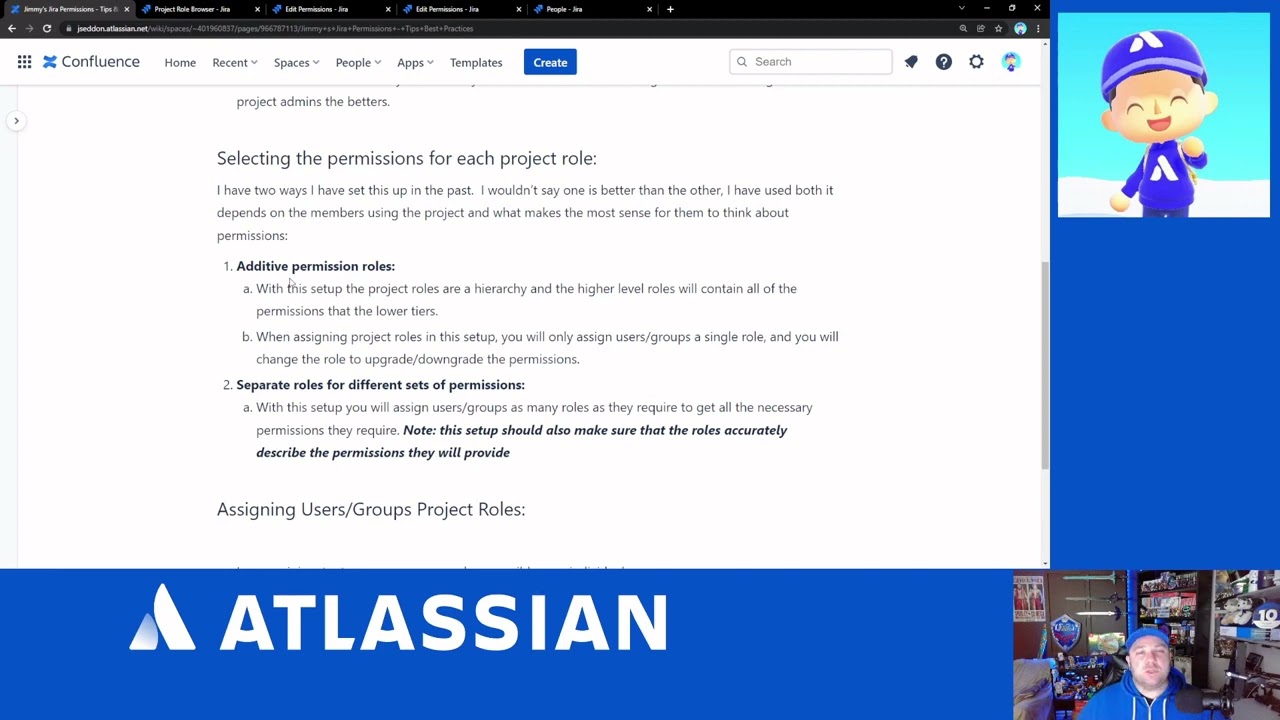
Let's Talk Jira Permissions Best Practices!

By ⚜️JimmyTalksJira ·
This is the first video that comes in via request. Please feel free to comment on this video, or message me on Twitter if you have a topic you would like me to cover in the future!
To check out the companion article for this video, you can view it here: https://community.atlassian.com/t5/Jira-articles/Jimmy-s-Jira-Permissions-Tips-amp-Best-Practices/ba-p/1922363If you want more information on Migrations Month, checkout the article here: https://community.atlassian.com/t5/Atlassian-Cloud-Migration/Migrations-Month-is-here/ba-p/1895088
 
Background music courtesy of NDA: https://nda.band/songs/db/index.phpBe sure to join the Atlassian Online Community, there are tons of Atlassian Customer just like you and me there to help each other every single day: https://community.atlassian.com/
 

Let's Talk Jira Permissions Best Practices!

By ⚜️JimmyTalksJira ·
This is the first video that comes in via request.
Please feel free to comment on this video, or message me on Twitter if you have a topic you would like me to cover in the future!
To check out the companion article for this video, you can view it here: https://community.atlassian.com/t5/Jira-articles/Jimmy-s-Jira-Permissions-Tips-amp-Best-Practices/ba-p/1922363
If you want more information on Migrations Month, checkout the article here: https://community.atlassian.com/t5/Atlassian-Cloud-Migration/Migrations-Month-is-here/ba-p/1895088
Background music courtesy of NDA: https://nda.band/songs/db/index.php
Be sure to join the Atlassian Online Community, there are tons of Atlassian Customer just like you and me there to help each other every single day: https://community.atlassian.com/

Getting Started With Jira Software Pt. 1 | Complete Beginners 2021

By ⚜️apetech ·
In this #Atlassian #Jira #Beginners Guide, I will walk you the first steps you need to take in order to get started with using Jira. This is the first part, in a multipart Jira getting started guide that is designed to help you take your first steps with Jira.
In this video, we start out with signing up for your first Atlassian ID. This Atlassian ID is needed to purchase Jira. But don't worry, Jira is completely free and while you technically are purchasing Jira, there is no credit card required. I'll guide you through this critical first step, so don't worry about messing anything up.
After you have your Atlassian ID, you'll get Jira going. You start by claiming and naming your Jira instance and then we do some very basic Jira configurations to get you going.
By the end of this video, you are going to be ready to create your very first Jira project. If you are completely new to Jira, you want to start with this video, because it serves as a very critical foundation for the rest of your Jira journey.

Learn Resize Observer In 5 Minutes

By 💫 Jimi Wikman ·
Resize Observer is an amazing tool in JavaScript that allows you to easily and efficiently do complex media query style calculations. What makes resize observer especially powerful is the fact that it can do things media queries cannot do such as container queries.
⏱️ Timestamps:
00:00 - Introduction 00:25 - Why Use Resize Observer 01:10 - Resize Observer Basics 03:40 - Resize Observer Example

Office Hours: A deeper dive into Widgets in FigJam

By 💫 Jimi Wikman ·
We're bringing our open platform to FigJam so developers can build plugins and widgets to automate workflows and engage the entire team. Widgets are interactive, native-like objects—like polls, games, and notepads—that the entire team can use together. Hear from Figmates and developers from the Community to see how you can build your own!

Start here: https://www.figma.com/widget-docs/intro/
Samples: https://github.com/figma/widget-samples

0:00 About Plugins and Widgets
2:02 Demo by Gavin McFarland (https://twitter.com/gavinmcfarland)
10:54 Demo by Tru Narla (https://twitter.com/trunarla)
20:10 Demo by Brett Holcomb (https://github.com/brettlyne/priority-matrix)
27:23 Demo by Shoshi Roberts (https://twitter.com/shoshizilla)
34:14 Build a widget with Sawyer Hood (https://twitter.com/sawyerhood)
46:37 Q&A/Closing

#Figma #FigJam #OfficeHours #Widgets

Learn how to power-up your CSS with PostCSS

By 💫 Jimi Wikman ·
If you're going to use the preset-env, I'd strongly recommend adding the PostCSS Language Support plugin to VS Code, so that it recognizes the CSS you are writing: https://marketplace.visualstudio.com/...
PostCSS is an absolutely amazing tool, so let's see how we can use it!
🔗 Links ✅ PostCSS: https://postcss.org
⌚ Timestamps
00:00 - Introduction 01:18 - The plugins we'll be setting up 01:32 - Installing PostCSS 04:17 - Installing our first plugin 05:06 - Adding the PostCSS config file 06:25 - Using our first plugin 07:28 - Setting up the command in our package.json 09:12 - Using the command 10:01 - Getting PostCSS to watch our files 12:09 - Installing cssnano and preset-env 14:12 - Exploring preset-env 15:37 - Setting up options for a plugin 17:57 - Custom property media queries with preset-env

Microsoft Loop Introduction and Overview - Ignite 2021

By 💫 Jimi Wikman ·
I have edited down the various areas of the Microsoft Ignite 2021 introduction and overview of the new Microsoft 365 product, Microsoft Loop.
0:00 - Intro 0:54 - Marketing Video 1:51 - Transition 1 2:00 - Elements Overview 2:06 - Loop Workspaces 2:21 - Loop Pages 3:02 - Loop Components 3:15 - Transition 2 3:27 - Productivity Examples 4:33 - Extensibility and Integrations 4:51 - Outlook and Dynamics 365 Example 5:44 - Aggregating Loop Components 6:11 - Outro Source: https://myignite.microsoft.com/sessio...
Think, plan, and create - together. Microsoft Loop is a new app that combines a powerful and flexible canvas with portable components that move freely and stay in sync across applications.
- Together, even when you’re apart: Co-create, build on each other’s ideas, and add a little personality. Loop is an entirely new way to work together - designed for the new world of work.
- Everything in one place: Organize everything you need for your project – files, links, and data from other apps– into a single workspace. It is easy to use portable components to complete work in chat, meetings, or documents, knowing that the content always stays in sync.
- Stay in sync and on track: Jump in, catch up, and get going. Loop makes it easy to track progress and co-create naturally with notifications, highlighted changes, status labels, task lists and more.
- Loop Workspaces: Shared spaces that allow you and your team to see and group everything important to your project, making it easy for you to catch up on what everyone is working on and track progress toward shared goals. We will disclose more about the availability of the Microsoft Loop app in upcoming months.
- Loop components: An evolution of Fluid components—are atomic units of productivity that help you collaborate and get your work done in the flow of your work—in a chat, email, meeting, document, or Loop page. Loop components can be as simple as lists, tables, notes, tasks, or as sophisticated as a customer sales opportunity from Microsoft Dynamics 365, and because components stay in sync, no matter how many places they live in, you and your team always work with the latest information.
- A voting table that makes it easy for teams to ideate, drive consensus, and finalize decisions together.
- A status tracker which will help you gather information from your team, track progress towards all aspects of your project, and always maintain an up-to-date status across your team.
- Loop pages are flexible canvases where you can organize your components and pull in other useful elements like files, links, or data to help teams think, connect, and collaborate. Pages are optimized for thinking together and getting work done. They can start small and continue to grow to match the size of your ideas and projects.
More: https://www.microsoft.com/en-us/micro...

Office Hours: Deeper into Branching

By 💫 Jimi Wikman ·
Join Clara and Chad as they dive into branching with the help with Shana Hu (Product Designer), Oscar Nilsson (Product Designer), and John Fuetsch (Software Engineer), who contributed to getting the feature out the door. Conversation topics include early iterations, key use cases, and what the team is thinking about next.

Check out the component contribution template in the Community: https://www.figma.com/community/file/1026922247130382011
Review our branching best practices: https://www.figma.com/best-practices/branching-in-figma/

0:00 Introduction
0:28 Demo
16:26 Figmate Introductions
18:38 Conversation with Figmates
43:15 Q&A
54:30 Closing


#Figma #OfficeHours #Branching #Merging #BranchingandMerging

The Problem with UI/UX, UX/UI design

By 💫 Jimi Wikman ·
In this video, I'll share some thoughts on my ongoing comments on UI/UX design and why that can be a risky career trajectory to follow. More specifically, I'll highlight some UX job market loopholes, and what focusing ongoing UI/UX could mean in the long run for any developing UX designer career.

New 3D functionality in Adobe Illustrator

By 💫 Jimi Wikman ·
Illustrator was just updated with new 3D functionality! This 3D effect promises better looking results than the now "classic" 3D toolset. In this video we'll go through the new tools and find out if they're worth it or not! Enjoy!
    Professional,
  • 0
  • 999

Jira Boards - everything you need to know about Boards in Jira Software Cloud.

By 💫 Jimi Wikman ·
A walkthrough and guide on how to create and configure a board in Jira Software Cloud.
0:00 - Intro 0:24 - What is a board? 01:27 - Two types of boards 02:10 - Jira without a board 02:41 - Create a board in Jira Software Cloud 04:50 - What is Roadmaps in Jira Software Cloud? 05:01 - What is a backlog in Jira Software Cloud? 06:02 - What is Active Sprints in Jira Software Cloud? 06:35 - General Boards Settings explained for Jira Software Cloud 08:52 - Column settings for Boards in Jira Software Cloud 09:02 - Column restraints for Boards in Jira Software Cloud 10:35 - Mange Columns in your Jira Software Cloud board 13:12 - Configure Swimlanes for your board in Jira Software Cloud 14:52 - Setup Quick filters for your board in Jira Software Cloud 17:22 - Card colors explained for your board in Jira Software Cloud 18:58 - Card layout explained for your board in Jira Software Cloud 21:23 - How to set up estimation for your board in Jira Software Cloud 23:08 - Working days for your board in Jira Software Cloud 23:57 - Issue Detail View explained for your board in Jira Software Cloud 25:17 - Configure Roadmaps for your board in Jira Software Cloud 26:22 - Outro

My Latest Videos

Account

Navigation

Search

Search

Configure browser push notifications

Chrome (Android)
  1. Tap the lock icon next to the address bar.
  2. Tap Permissions → Notifications.
  3. Adjust your preference.
Chrome (Desktop)
  1. Click the padlock icon in the address bar.
  2. Select Site settings.
  3. Find Notifications and adjust your preference.