Skip to content
View in the app

A better way to browse. Learn more.

JimiWikman.se

A full-screen app on your home screen with push notifications, badges and more.

To install this app on iOS and iPadOS
  1. Tap the Share icon in Safari
  2. Scroll the menu and tap Add to Home Screen.
  3. Tap Add in the top-right corner.
To install this app on Android
  1. Tap the 3-dot menu (⋮) in the top-right corner of the browser.
  2. Tap Add to Home screen or Install app.
  3. Confirm by tapping Install.

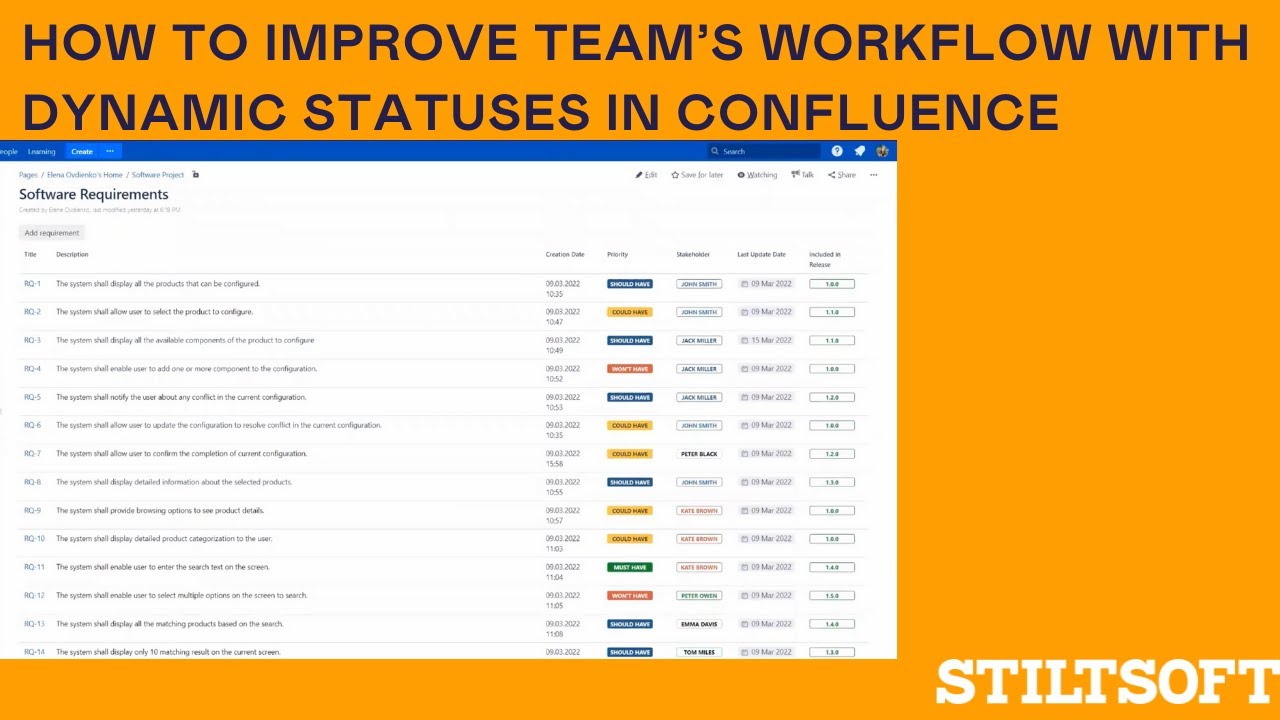
How to improve team’s workflow with dynamic statuses in Confluence

By 💫 Jimi Wikman ·
Check how to implement an automated work management system, standardize it, and make it much easier to accurately track the team's workflow.
Elena demonstrates the benefits of Handy Macros for Confluence during the event hosted by Berlin-Brandenburg Atlassian User Group. You will learn how to work with data in the page view mode and speed up data entry compared to manual typing.
Elena talks about the benefits of Page Properties Report in a bundle with dynamic statuses and dates teams can change on the fly.
Try Handy Macros for free 👉 https://marketplace.atlassian.com/app...
 

How to Enable Story Points on ALL Issue Types | Atlassian Jira

By ⚜️apetech ·
In this #Atlassian #Jira video you are going to learn how to enable #story points on ALL issue types. Jira by default has story points on stories and epics, but not on any other issue types. In this video I walk you through how to enable story point to bug, subtask, and all others. When you are creating a new project, you have a lot of different options. I'll walk you through all the other project templates and give you a breakdown for what they are used for. If you've ever wondered what other types of Jira projects you could create as a Jira administrator, look no further than this helpful tutorial. If you haven't already, I recommend you check out my previous videos on how to create a Jira project. This video is the next logical step in my introduction to Jira series. After you have created your very first Jira project, it is time to start exploring the user interface. Learning the basics here can really help you down the road. Knowing how to find the information that is most critical to you and being savvy on where things are contained within the world of Jira are going to give you an edge over your teammates. If you like this video, please make sure to give it a thumbs up. If you haven't already, please consider subscribing. If you have any questions about anything discussed so far, please feel free to make sure you leave your question in the comments section. Link to my other Atlassian Jira videos https://www.youtube.com/playlist?list=PLqWD37Mj2te2xeDcFWb4Vw1pvX5gHfWgy Link to my Atlassian Live Streams: https://www.youtube.com/playlist?list=PLqWD37Mj2te1QN1j7v-9jjCrp8Hty6dja Link to Atlassian's Jira products: https://www.atlassian.com/software Link to my Fiverr profile: https://www.fiverr.com/alexortiz924?up_rollout=true Link to my Upwork profile: https://www.upwork.com/freelancers/~01d55ed1a24784cd93 Link to my personal website https://www.apetech.me/

Let's Talk: Why Do Team Managed Projects Exist?

By ⚜️JimmyTalksJira ·
This week I want to talk about Team Managed Project. Where they started, where they are today, and what they have planned on the roadmap.
I also want to share some of my struggles in trying to make Team Managed Projects work.
To checkout the article on the Community with the reverse chronological feature delivery: https://community.atlassian.com/t5/Team-managed-projects-articles/Next-gen-release-notes-for-Jira-Software-Cloud/ba-p/983083
To see the latest in Jira Software Cloud: https://www.atlassian.com/software/jira/whats-new/core-experiences#overview
 
You can also find me on Twitter: https://twitter.com/JimmyTalksJira
Background music courtesy of NDA: https://nda.band/songs/db/index.php
Be sure to join the Atlassian Online Community, there are tons of Atlassian Customer just like you and me there to help each other every single day: https://community.atlassian.com/

How to Enable Plugins | Custom Charts | Atlassian Jira

By ⚜️apetech ·
In this #Atlassian #Jira video you are going to learn how to enable plugins. Plugins can be very helpful to your Jira instance, in this case I will be discussing #Custom Charts for Jira - Reports by Old Street Solutions. When you are creating a new project, you have a lot of different options. I'll walk you through all the other project templates and give you a breakdown for what they are used for. If you've ever wondered what other types of Jira projects you could create as a Jira administrator, look no further than this helpful tutorial. If you haven't already, I recommend you check out my previous videos on how to create a Jira project. This video is the next logical step in my introduction to Jira series. After you have created your very first Jira project, it is time to start exploring the user interface. Learning the basics here can really help you down the road. Knowing how to find the information that is most critical to you and being savvy on where things are contained within the world of Jira are going to give you an edge over your teammates. If you like this video, please make sure to give it a thumbs up. If you haven't already, please consider subscribing. If you have any questions about anything discussed so far, please feel free to make sure you leave your question in the comments section. Link to my other Atlassian Jira videos https://www.youtube.com/playlist?list=PLqWD37Mj2te2xeDcFWb4Vw1pvX5gHfWgy Link to my Atlassian Live Streams: https://www.youtube.com/playlist?list=PLqWD37Mj2te1QN1j7v-9jjCrp8Hty6dja Link to Atlassian's Jira products: https://www.atlassian.com/software Link to my Fiverr profile: https://www.fiverr.com/alexortiz924?up_rollout=true Link to my Upwork profile: https://www.upwork.com/freelancers/~01d55ed1a24784cd93 Link to my personal website https://www.apetech.me/

How to Determine the Value of Story Points | Atlassian Jira

By ⚜️apetech ·
In this #Atlassian #Jira video you are going to learn how I determine the value of story points. This is a topic that has many opinions. How do you value story points? When you are creating a new project, you have a lot of different options. I'll walk you through all the other project templates and give you a breakdown for what they are used for. If you've ever wondered what other types of Jira projects you could create as a Jira administrator, look no further than this helpful tutorial. If you haven't already, I recommend you check out my previous videos on how to create a Jira project. This video is the next logical step in my introduction to Jira series. After you have created your very first Jira project, it is time to start exploring the user interface. Learning the basics here can really help you down the road. Knowing how to find the information that is most critical to you and being savvy on where things are contained within the world of Jira are going to give you an edge over your teammates. If you like this video, please make sure to give it a thumbs up. If you haven't already, please consider subscribing. If you have any questions about anything discussed so far, please feel free to make sure you leave your question in the comments section. Link to my other Atlassian Jira videos https://www.youtube.com/playlist?list=PLqWD37Mj2te2xeDcFWb4Vw1pvX5gHfWgy Link to my Atlassian Live Streams: https://www.youtube.com/playlist?list=PLqWD37Mj2te1QN1j7v-9jjCrp8Hty6dja Link to Atlassian's Jira products: https://www.atlassian.com/software Link to my Fiverr profile: https://www.fiverr.com/alexortiz924?up_rollout=true Link to my Upwork profile: https://www.upwork.com/freelancers/~01d55ed1a24784cd93 Link to my personal website https://www.apetech.me/

Let's Talk: Deeper Dive into Preventing Jira Sprawl!

By ⚜️JimmyTalksJira ·
Today we dive deeper into discussing the trending Jira sprawl discussion from the Atlassian Community Round up. I'll be providing some tips for both Admins & Users. You can join the trending discussion here: https://community.atlassian.com/t5/Jira-Cloud-Admins-discussions/How-do-you-keep-track-of-the-sprawl/td-p/2001305 You can also find me on Twitter: https://twitter.com/JimmyTalksJira Background music courtesy of NDA: https://nda.band/songs/db/index.php ©NDA Be sure to join the Atlassian Online Community, there are tons of Atlassian Customer just like you and me there to help each other every single day: https://community.atlassian.com/

Story Points and Estimation | Atlassian Jira

By ⚜️apetech ·
In this #Atlassian #Jira video you are going to learn about story points and how to estimate them. Are you doing this right? How does your team do story points and estimation in your team? When you are creating a new project, you have a lot of different options. I'll walk you through all the other project templates and give you a breakdown for what they are used for. If you've ever wondered what other types of Jira projects you could create as a Jira administrator, look no further than this helpful tutorial. If you haven't already, I recommend you check out my previous videos on how to create a Jira project. This video is the next logical step in my introduction to Jira series. After you have created your very first Jira project, it is time to start exploring the user interface. Learning the basics here can really help you down the road. Knowing how to find the information that is most critical to you and being savvy on where things are contained within the world of Jira are going to give you an edge over your teammates. If you like this video, please make sure to give it a thumbs up. If you haven't already, please consider subscribing. If you have any questions about anything discussed so far, please feel free to make sure you leave your question in the comments section. Link to my other Atlassian Jira videos https://www.youtube.com/playlist?list=PLqWD37Mj2te2xeDcFWb4Vw1pvX5gHfWgy Link to my Atlassian Live Streams: https://www.youtube.com/playlist?list=PLqWD37Mj2te1QN1j7v-9jjCrp8Hty6dja Link to Atlassian's Jira products: https://www.atlassian.com/software Link to my Fiverr profile: https://www.fiverr.com/alexortiz924?up_rollout=true Link to my Upwork profile: https://www.upwork.com/freelancers/~01d55ed1a24784cd93 Link to my personal website https://www.apetech.me/

My Biggest Problem with Jira | Atlassian Jira

By ⚜️apetech ·
In this #Atlassian #Jira video you are going to learn what is my biggest problem with Jira. Let me know if you agree or disagree with me. When you are creating a new project, you have a lot of different options. I'll walk you through all the other project templates and give you a breakdown for what they are used for. If you've ever wondered what other types of Jira projects you could create as a Jira administrator, look no further than this helpful tutorial. If you haven't already, I recommend you check out my previous videos on how to create a Jira project. This video is the next logical step in my introduction to Jira series. After you have created your very first Jira project, it is time to start exploring the user interface. Learning the basics here can really help you down the road. Knowing how to find the information that is most critical to you and being savvy on where things are contained within the world of Jira are going to give you an edge over your teammates. If you like this video, please make sure to give it a thumbs up. If you haven't already, please consider subscribing. If you have any questions about anything discussed so far, please feel free to make sure you leave your question in the comments section. Link to my other Atlassian Jira videos https://www.youtube.com/playlist?list=PLqWD37Mj2te2xeDcFWb4Vw1pvX5gHfWgy Link to my Atlassian Live Streams: https://www.youtube.com/playlist?list=PLqWD37Mj2te1QN1j7v-9jjCrp8Hty6dja Link to Atlassian's Jira products: https://www.atlassian.com/software Link to my Fiverr profile: https://www.fiverr.com/alexortiz924?up_rollout=true Link to my Upwork profile: https://www.upwork.com/freelancers/~01d55ed1a24784cd93 Link to my personal website https://www.apetech.me/

Thank you for 100 Subs! Behind the scenes of JimmyTalksJira!

By ⚜️JimmyTalksJira ·
I can't thank everyone enough for helping me hit this massive milestone! To thank you all, I'm letting you take a peek behind the curtain at what I use to record an episode of JimmyTalksJira! The microphone and camera I started with are: https://www.avermedia.com/us/product-detail/BO311 The webcam I'm using today is: https://www.razer.com/streaming-cameras/razer-kiyo/RZ19-02320100-R3U1 Recording content is done using: https://obsproject.com/ Editing is completed with: https://www.openshot.org/ You can also find me on Twitter: https://twitter.com/JimmyTalksJira Background music courtesy of NDA: https://nda.band/songs/db/index.php ©NDA Be sure to join the Atlassian Online Community, there are tons of Atlassian Customer just like you and me there to help each other every single day: https://community.atlassian.com/

My Latest Videos

Account

Navigation

Search

Search

Configure browser push notifications

Chrome (Android)
  1. Tap the lock icon next to the address bar.
  2. Tap Permissions → Notifications.
  3. Adjust your preference.
Chrome (Desktop)
  1. Click the padlock icon in the address bar.
  2. Select Site settings.
  3. Find Notifications and adjust your preference.





