


Categories
Show allCSS & HTML Videos
31 community videos in this category
-
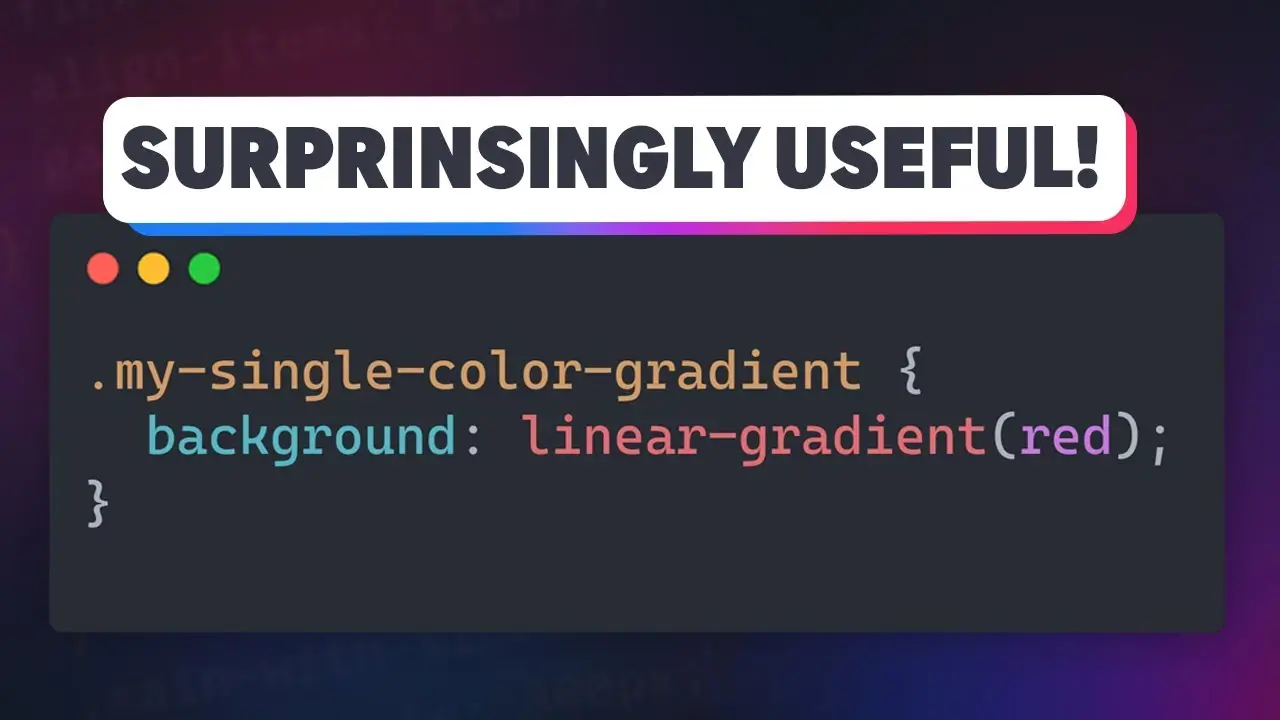 🔗 Links ✅ Code from this video: https://codepen.io/kevinpowell/pen/RN... ✉ Keep up to date with everything I'm up to https://www.kevinpowell.co/newsletter 💬 Come hang out with other devs in my Discord Community / discord ⭐ Are you a beginner? HTML & CSS for absolute beginners is for you: https://learn.kevinpowell.co 🎓 Start writing CSS with confidence with CSS Demystified: [https://cssdemystified.com](https://cssdemystified.com/) 🚀 Already mastered CSS? Check out my advanced course,
 -
 Anchor positioning is great at a lot more than just tooltips! 🔗 Links ✅ OddBird article I mentioned on fixes for when anchor positioning doesn't work: Here’s Why Your Anchor Positioning Isn’t Working: https://www.oddbird.net/2025/01/29/an... ✅ The nav video I mentioned at the end: Make this fun effect that follows your cur... ✉ Keep up to date with everything I'm up to https://www.kevinpowell.co/newsletter 💬 Come hang out with other devs in my Discord Community / discord ⭐ Are
 -
 CSS is getting way more powerful than most people realize. From custom functions and conditionals to zero-JS carousels and scroll logic, here are 10 features you should know for 2026. 🔗 Relevant Links corner-shape: https://developer.mozilla.org/en-US/docs/Web/CSS/Reference/Properties/corner-shape shape function: https://developer.mozilla.org/en-US/docs/Web/CSS/Reference/Values/basic-shape/shape Custom Select: https://developer.mozilla.org/en-US/docs/Learn_web_development/Extensions/Forms/Custom
 -
 If you’ve ever needed the positioning of an element to be connected (or anchored) to the position of another element, then you’ll be very excited about anchor positioning in CSS! It is new (as of the time of recording), but thankfully, we have a really good Polyfill, so we don’t have to worry about browser support! 🔗 Links ✅ Code from this video: https://codepen.io/kevinpowell/pen/po... (slightly different, and no polyfill being used here) ✅ Chrome for Developers blog article on anchor positio
 -
 The :is() pseudo-class is relatively new, but browser support is pretty good now! It's a nice way to dry up your CSS and turn some otherwise complex selectors into something much more managable!
 -
 I’ve done reaction videos in the past where I looked at crazy codepens, and today, we’re starting a new series where I find one such codepen and see if I can understand how it was created, with a dive into the :has() pseudo-class, which is now supported in Chrome and Safari.
 -
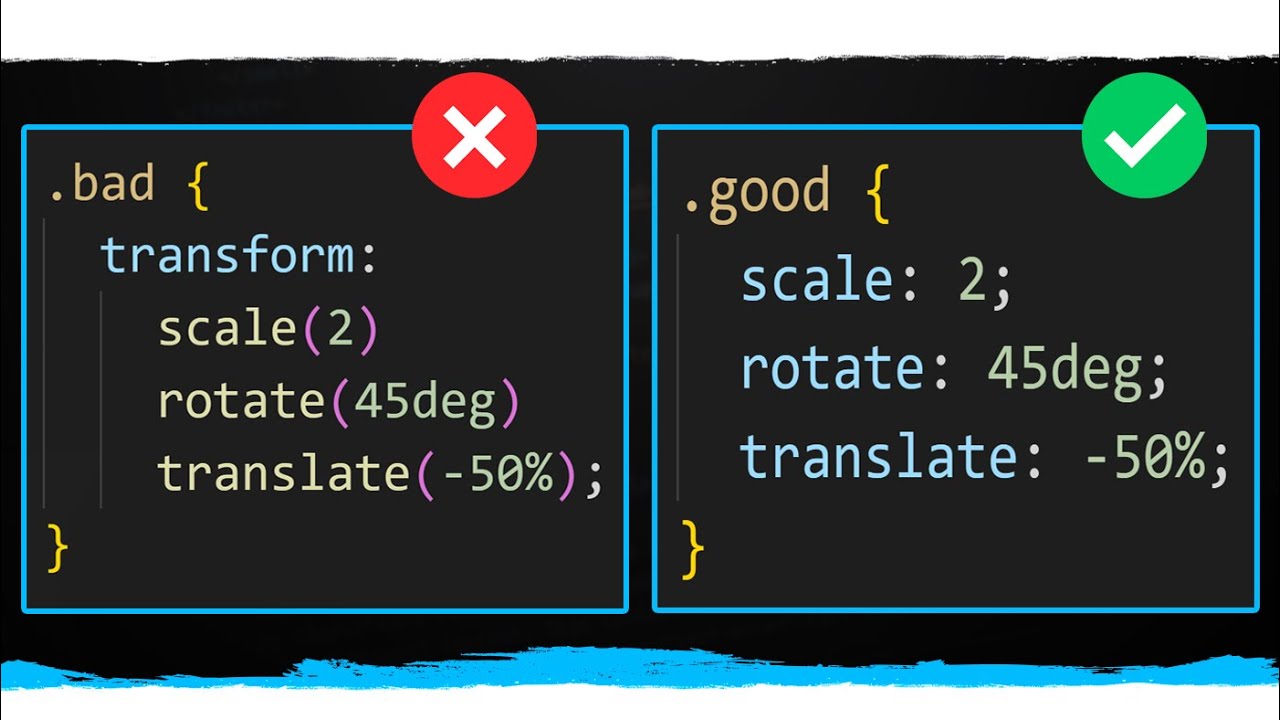 CSS is adding lots of new features and some of the smaller quality of life features they added recently were the addition of the translate, rotate, and scale properties. These properties almost entirely remove the need to use the transform property which is incredibly nice since there are tons possibilities this opens up that were very difficult if not impossible before.
 -
 There used to only be 4 viewport units which were pretty easy to understand. With the increase in popularity of mobile devices, though, there has been a need to handle more complex viewports which is why there are now 24 total viewport units. In this video I will break down how each of these units works, and when you would want to use them.
 -
 Review widgets are one of the most common elements you will add to any ecommerce page which is why it is important to be able to create them well. In this video I attempt to copy a design for a review widget while also adding fancy animations to the widget. This is my first time attempting to solve this issue so you can see my thought process and how I go about debugging and solving this problem.
 -
 I was asked if we could make a button with cut corners, and it seemed like a fun challenge, and this is my solution! It involves a lot of custom properties and the setup is a little complex, but the custom properties make it easy to make changes down the line!
 -
 Disclaimer video is for educational purpose only. Copyright Disclaimer Under Section 107 of the Copyright Act 1976, allowance is made for "fair use" for purposes such as criticism, comment, news reporting, teaching, scholarship, and research. Fair use is a use permitted by copyright statute that might otherwise be infringing. Non-profit, educational or personal use tips the balance in favor of fair use
 -

-
 Custom properties are amazing, but sometimes you go to overwrite one and it doesn't work as you'd expect it to. It happens for a good reason, even though it feels like it should work! So in this video, I look at what the problem is, why it happens, and how to get around it.
 -

-


My Latest Videos
-
Why does your team keep missing sprint commitments even when everyone is working hard? The answer isn't effort, it's capacity planning done wrong. In this episode, Alex and Atlassian expert Jimi Wikman have a brutally honest conversation about what capacity management really is, why most teams get it completely backwards, and what you can actually do about it. If you've ever watched a sprint fail and wondered why this video is going to hit home. 👉 What we cover: 🤔 Capacity management vs. resourc
-
Jira,
-
-
Is your team overloaded, underutilized, or just completely unplanned? You're not alone. In this episode, Alex sits down with Atlassian expert Jimi Wic\kman for a no-fluff, honest conversation about resource management and capacity planning, what they are, why most teams get them wrong, and how to actually do them right inside Jira. Whether you're a project manager, line manager, or scrum master trying to get a handle on your team's workload, this one is packed with real-world advice you can use
-
Atlassian Assets is no longer just a JSM feature — it's now a full platform app. But is it actually ready for real-world admins? In this episode, Alex and Jimi go head-to-head with completely opposite takes on one of Atlassian's most ambitious tools. One of them loves it. One of them hates it. Both of them have the scars to prove it. ⚡ What we cover: 📦 How Insight became Assets — and why the cloud version was a disaster at first 🔧 Why setting it up wrong is worse than not using it at all 📊 Dat
-
Are Atlassian's constant updates helping or hurting your business? In this episode, we dive deep into Atlassian's release cadence — from Jira Cloud's new seasonal releases to the chaotic flood of daily changes across Confluence, JSM, and more. We talk about the real-world pain of broken documentation, renamed features, removed functionality, and being blindsided by changes mid-client engagement. If you manage Atlassian tools for your organization or customers, this one will hit close to home. ⏱
-
Unsure how to handle ambiguity during sprint planning? In this video, we break down the concept of agile spikes — what they are, when to use them, and how to structure them so your team stays focused without going down rabbit holes. We explore how to use epics as discovery drivers, why time-boxing investigations beats open-ended estimates, and how the Three Amigos framework (product owner, developer, and tester) ensures the right people are involved in requirement discovery. You'll also learn ho
-
When Atlassian announced that they were looking into individual resource planning, I was super excited! When I witnessed the first post on how they are thinking about implementing it, I was heartbroken... This is my BRUTALLY honest opinion on the suggested setup of individual capacity planning... in Jira. You can expect a deep dive into resource management, resource planning, and how I would do it if I had a position at Atlassian. Enter at your own peril.
-
Jira,
-
-
If you want to automate so you can send out emails when Assets date attributes are within a certain range, then this is the video for you. In this video, I show you how to create a simple automation that can check a date attribute in Asset objects, and based on how many days there are to that date, an email will be sent out. This is great for getting notified when it is time to renew licenses or certificates, for example.







